 Azerbaijan
 Russian
 Turkish

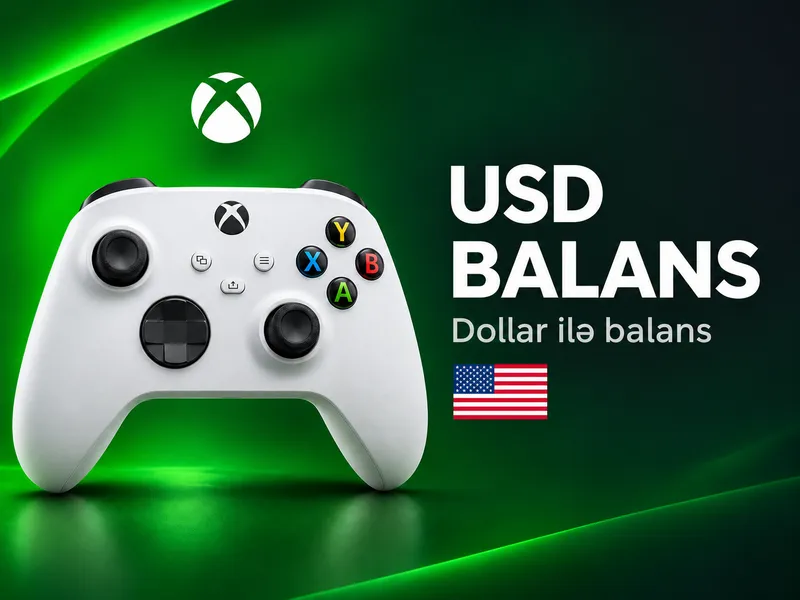
Xbox USD Gift Card
This section sells Xbox gift card codes in US dollars.
This section sells Xbox gift card codes in US dollars. The code is issued automatically right after payment and shows up on your order page. You can choose 5, 10, 15, 20, 25, 50 or 100 USD codes, and all of them are issued automatically – you can get a code at night too, without waiting for an operator. The code adds a dollar balance to your Microsoft account, so the account region must be the United States; for a Turkey-region account see the Xbox TL section. With the balance you can buy games, add-ons, in-game currency and subscriptions in the Xbox Store. Pay in AZN from your GNET balance or as a guest by card transfer. For a larger purchase you can redeem several codes.
Xbox is Microsoft's gaming platform: Xbox Series X|S and Xbox One consoles, Windows PCs and cloud gaming all share one Microsoft account. Games, add-ons and subscriptions are bought through the Xbox Store and the Microsoft Store.
When you redeem an Xbox gift card, the amount is added to your Microsoft account balance. You can use that balance for:
- full games and DLC
- in-game currency (for example for Fortnite, EA FC and other games)
- subscriptions and movies
Gift cards are region-locked: a USD card works on a US-region account.
How to buy
- Check that your Microsoft account region is the United States.
- Top up your GNET balance or continue as a guest, pick a value and click “Buy”.
- Confirm the order – the code appears on your order page right away.
- Copy the code and redeem it on your Xbox console, in the Microsoft Store or at xbox.com/redeem.
Xbox, USD gift card order
⚡ Delivery time: the code is issued automatically, 24/7 right after payment and appears on your order page.
How to order
Sign in. Log in to your GNET account, create a new one or continue as a guest.
Top up your balance. Add enough funds for the order with one of the available payment methods. For a guest order you pay by card transfer and upload the receipt.
Choose a value. Select the USD value you want and click “Buy”.
Place the order. Check your choice and click “Order”.
Redeem the code. Copy the code from your order page and enter it on your Xbox console, in the Microsoft Store or at xbox.com/redeem.
🌍 Region: USD codes are for US-region Microsoft accounts. Check your account region before ordering.
📦 Track your order: see the status under “My orders” or in the notification sent to your registration email. When it is done the status shows “Delivered”; message us on WhatsApp with any question.
+When do I get the code?
All USD codes are issued automatically right after payment and appear on your order page, 24/7.
+Will the code work on an account from another region?
USD codes are for US-region Microsoft accounts. If your region is different, check it before redeeming; for the Turkey region there is the Xbox TL section.
+Where do I redeem the code?
On an Xbox console via “Redeem code” in the Store, in the Microsoft Store on Windows, or at xbox.com/redeem.
+What if the code does not work?
First check that you copied it without spaces or typos and that your account region matches. If it still fails, message us on WhatsApp with your order number.
+Can I pay for Game Pass with the balance?
Microsoft account balance can be spent on Xbox Store purchases, including subscriptions. Check that the specific offer is available in your region in the store.
-
Xbox USD 5 USD Instant, 24/7In stock Bonus 88.94 AZN
-
Xbox USD 10 USD Instant, 24/7In stock Bonus 1616.74 AZN
-
Xbox USD 15 USD Instant, 24/7In stock Bonus 2525.11 AZN
-
Xbox USD 20 USD Instant, 24/7In stock Bonus 3535.54 AZN
-
Xbox USD 25 USD Instant, 24/7In stock Bonus 4141.85 AZN
-
Xbox USD 50 USD Instant, 24/7In stock Bonus 8787.98 AZN
-
Xbox USD 100 USD Instant, 24/7In stock Bonus 174174.25 AZN
No matching variant found.
Reviews
Sign in to write a reviewNo reviews


